dph1
1. Download SPLat Firmware
=================
== Version 4.2 ==
=================
dph1_1511_release_v4-2
27 Jun 2017
- DPH 4.2: embedded sample app in firmware
- ARM: fixed a reset that could occur if Xwire Slave was restarted when it & MODBUS Slave were operating simultaneously.
- Xwire: the Xwire slave thread could run out of stack and cause a reset

=================
== Version 4.1 ==
=================
dph1_1511_release_v4-1
23 Jun 2017
- DPH1: ADC comms frequency adjusted to 8kHz

=================
== Version 4.0 ==
=================
dph1_1511_release_v4-0
- Development
2. Download STMicro DFU Demo
Download then install the STMicro DFU “demo” making sure you unstall any old version first. This tool will upload the firmware to your SPLat controller. You will need a USB Type-A to Mini-B cable.
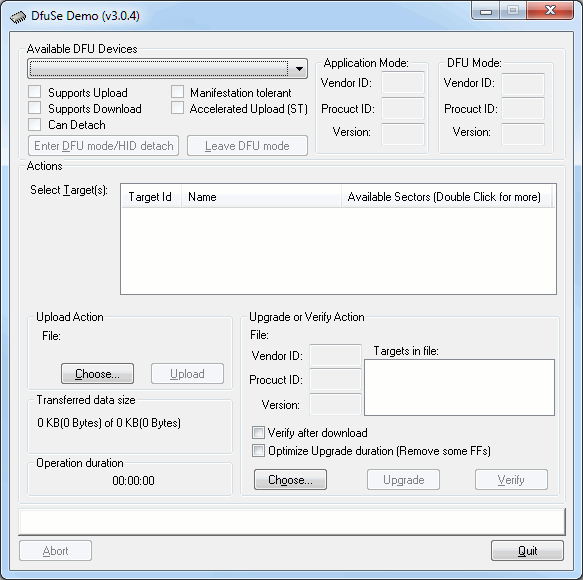
- Install the DFU Demo before connecting your controller to the PC. Run the DFU Demo and you’ll see this:
- Install the PGM link on your controller, then apply power and connect it to your PC. (If you’re using the EC1, holding the button down when connecting USB will enter download mode) The DFU Demo will now show an available device:
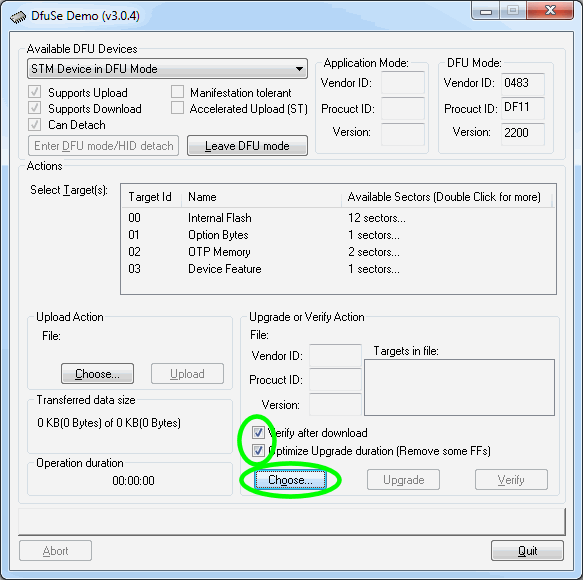
- Tick the boxes as shown, the click Choose and select the controller firmware file you downloaded above.
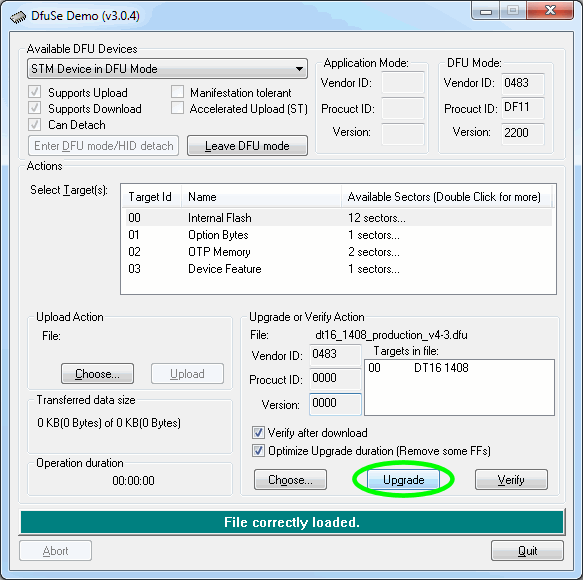
- Now click Upgrade:
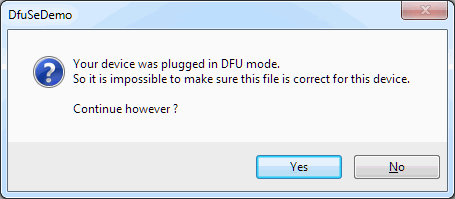
- If you see this popup below, click Yes then wait about 30 seconds. Sadly there’s a bug in the downloader and it will crash if you don’t wait for a bit. If you hear the USB boing bong sound, you’re good to proceed to the next step.
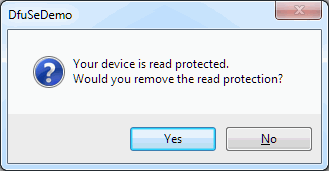
- Just say Yes. (But if you saw the read protected popup, be sure to wait about 30 seconds before clicking Yes.)
- Now the new firmware will be uploaded and at the end you’ll see this
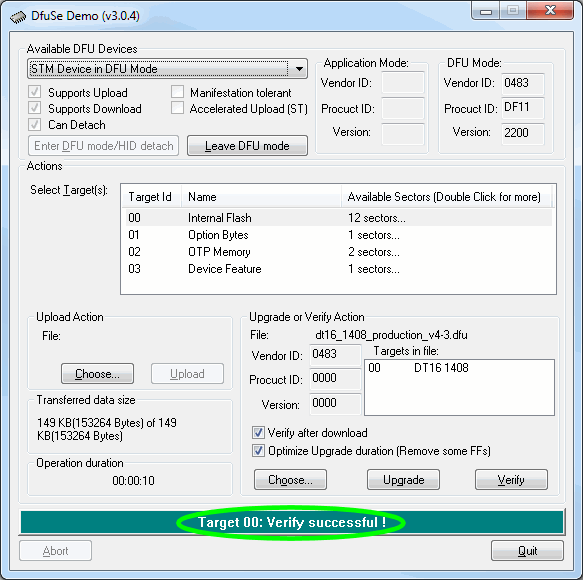
- All done. Remove the jumper and USB cable, then power cycle your controller. You’ll need to reinstall your SPLat application.
Please be sure to tick the “Verify after download” and “Optimize Upgrade duration” checkboxes before upgrading the firmware
If you’re not sure what you want, give us a call: +61 3 9773 5082