Downloads: Firmware & reFlash
Overview
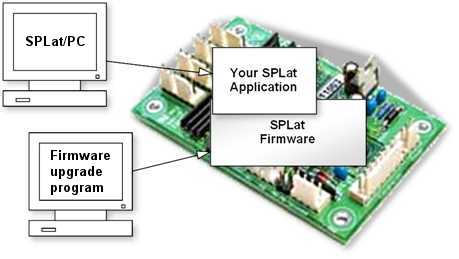
SPLat provide free firmware updates for current controllers and some legacy controllers too. Sometimes an update is for a bug fix, but mostly they are to provide new functionality.
It is easy to update the firmware in your controller. There are two files you will need to download from this page to make the magic happen. You will need the reFlasher software for your PC and the latest firmware file for your controller. If you have previously installed the reFlash software for your PC check its version number to determine if you need to update it.
Make sure you still have your SPLat application handy as uploading firmware will erase the existing copy in the controller. Make sure you have SPLat/PC installed and ready to to re-upload your application.
Current Version
Finding what firmware version is in your controller can be done with SPLat/PC. Connect SPLat/PC to your controller and click “Stop”.
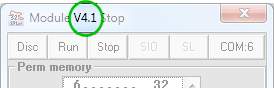
The firmware version number is displayed in the title bar.
Choose your controller
If you’re not sure what you want, give us a call: +61 3 9773 5082