dr8b
1. Download SPLat Firmware
=================
== Version 4.1 ==
=================
dr8b_1606_release_v4-1
09 Aug 2017
- VM: Fixed InputOM that was returning wildly incorrect values.
- DR8: default SEXI app now supports address change on the fly and auto detect of TTL/485 ports.
- DR8, SEXI app timeout increased to 1 second
- NVEM may now report SPxNoResp instead of NVEMPtrOOB if there's a problem communicating with an external EEPROM
- Xwire: the Xwire slave thread could run out of stack and cause a reset
- ARM: fixed a reset that could occur if Xwire Slave was restarted when it & MODBUS Slave were operating simultaneously.
- ARM: WarmBoot now doesn't cause an error, it just restarts the VM.  This is the same behaviour as the 8bit controllers.
- ARM: SEXI was incorrectly calculating the output size limit, so a value of 37 outputs which is legal was throwing a "too big" error.
- VM: floatFromU and fixToU were corrected to treat W as big endian when transferring between U
- ARM STMicro boards: If MODBUS was set to 8 data bits even parity, a 0x00 would cause a LIN break and resulted in the packet being dumped resulting MODBUS errors (typically no response if the SPLat is a MODBUS slave).
- VM: sometimes a controller running MODBUS would reset when SPLat/PC connected due to an incorrect method of mutex release when closing the MODBUS port.
- ARM: a 16bit and 24bit ID is now available on all ARM boards.  These are a CRC of a bigger ID so there's a small chance two controllers may have the same ID (chance is obviously less with the 24bit version).
- ARMF3: volatile in typedef was placing constants in the .data segment, moved volatile keyword to variables themselves.
- SPLatVM: MemToUV and UVToMem were ignoring the u[n] offset and always starting from u[0].

=================
== Version 4.0 ==
=================
dr8b_1606_release_v4-0
12 Sep 2016
- First release
2. Download STMicro DFU Demo
Download then install the STMicro DFU “demo” making sure you unstall any old version first. This tool will upload the firmware to your SPLat controller. You will need a USB Type-A to Mini-B cable.
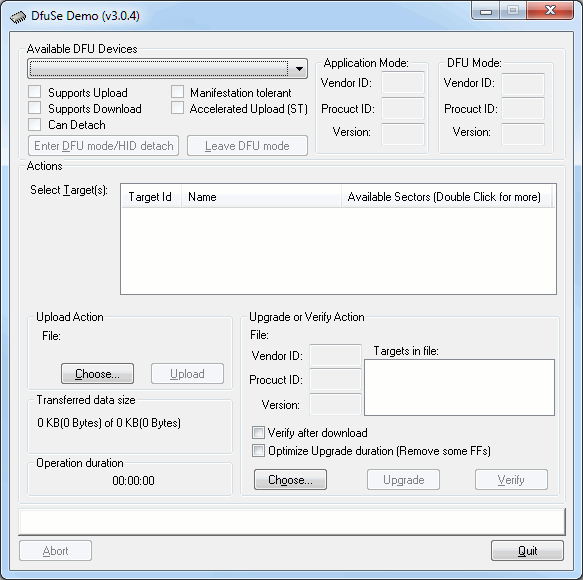
- Install the DFU Demo before connecting your controller to the PC. Run the DFU Demo and you’ll see this:
- Install the PGM link on your controller, then apply power and connect it to your PC. (If you’re using the EC1, holding the button down when connecting USB will enter download mode) The DFU Demo will now show an available device:
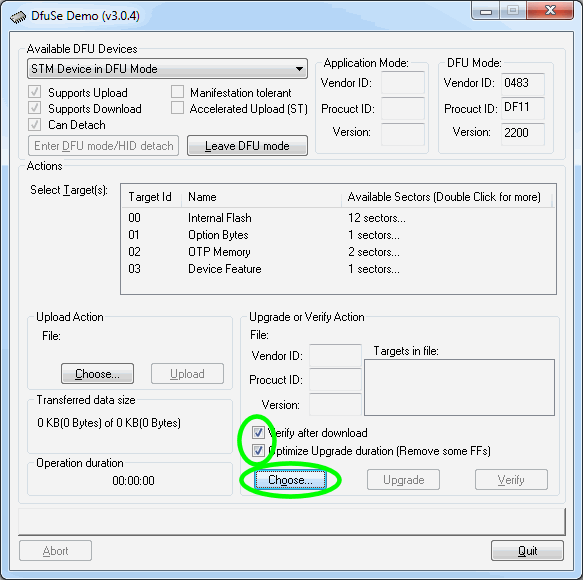
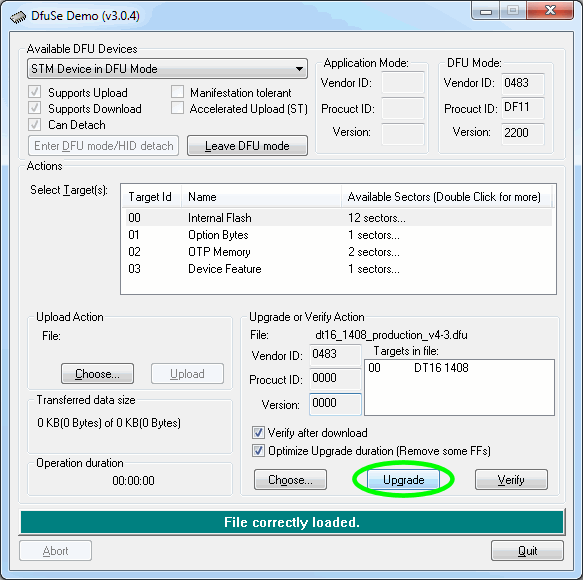
- Tick the boxes as shown, the click Choose and select the controller firmware file you downloaded above.
- Now click Upgrade:
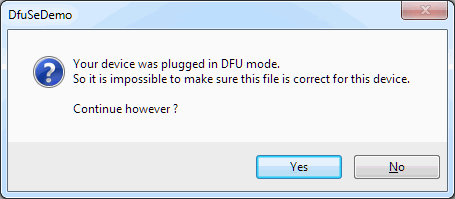
- If you see this popup below, click Yes then wait about 30 seconds. Sadly there’s a bug in the downloader and it will crash if you don’t wait for a bit. If you hear the USB boing bong sound, you’re good to proceed to the next step.
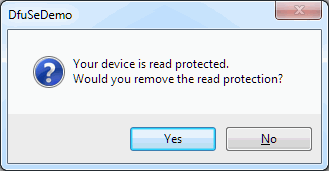
- Just say Yes. (But if you saw the read protected popup, be sure to wait about 30 seconds before clicking Yes.)
- Now the new firmware will be uploaded and at the end you’ll see this
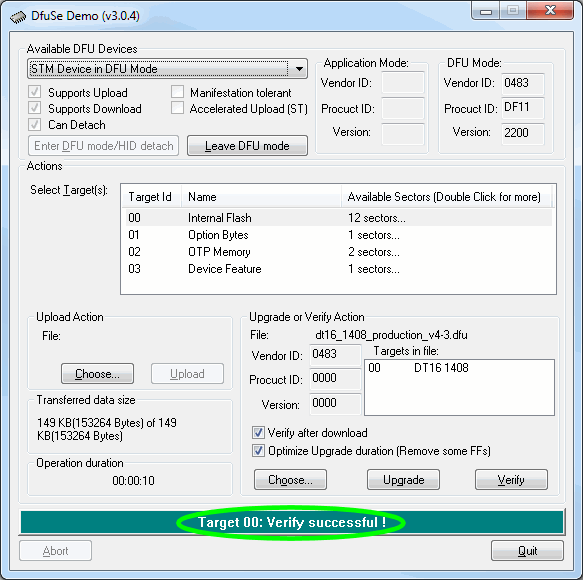
- All done. Remove the jumper and USB cable, then power cycle your controller. You’ll need to reinstall your SPLat application.
Please be sure to tick the “Verify after download” and “Optimize Upgrade duration” checkboxes before upgrading the firmware
If you’re not sure what you want, give us a call: +61 3 9773 5082