This EasyStep shows you how Easy it is to get an EC1 to control an RGB LED from an Android device via Bluetooth.
The program combines three other EasySteps, which you must have done first (and have all the hardware for) for this one to make sense. They are:
- A simple setup to control an RGB colour LED
- Connecting to a JY-MCU Bluetooth to serial slave adaptor module
- A first sample app using Bluetooth to Android
It should take you way less than an hour to do this EasyStep, depending on how deeply you delve into the SPLat code. The video clip below shows you the end result using a rolled up sheet of paper as a diffuser.
To run the program
I am going to jump straight into the program. This EasyStep really is just a remix of previous steps, plus a new program. The program is not overly complicated. If you studied the previous ones most of it should be obvious. There’s one new element, which has a “mouseover” explanation.
- Close all running copies of SPLat/PC
- Click this link to download the program and launch it into SPLat/PC. Depending on what browser you are running, you will need to select the appropriate option to run the file in the matching application (SPLat/PC).
- Connect SPLat/PC to the EC1. Details. The Module window in SPLat/PC should now look something like this:
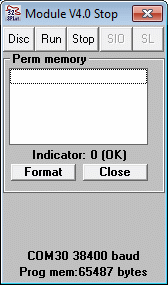
- Hit CTRL+F12 to translate the program and send it to the EC1 and run it;
- Connect to the EC1 from your Android ‘phone. EasyStep;
- Have fun.
The program
The full program is listed below. To show/hide the program listing click here. One single pop-up annotation is on an instruction that is almost certainly new to you. It is marked like this:
;[…]
Place your mouse over the ;[…] to see the pop-up.